
Reports
Generating formatted PDF reports from your asset data.
Reports
Reports produce formatted, printable PDF documents — useful for audits, stock takes, handovers, or management summaries. Unlike export, reports are not raw data dumps; they are structured documents with grouping and layout options.
Reports are only available on the web interface. They are not available on the mobile app.
Report Types
| Report | Description |
|---|---|
| Assets by Code | All assets sorted by asset code |
| Assets by Category | Assets grouped by category |
| Assets by Type | Assets grouped by type |
| Assets by Location | Assets grouped by location |
| Disposed Assets Only | Only disposed assets |
Configuring a Report
Each report can be customised:
- Columns — Select and reorder which asset properties appear. Drag and drop to set the order.
- Page size — A4 or A3
- Border style — No borders, header line only, light horizontal lines, or all borders
- Signature block — Optionally include a signature block at the end
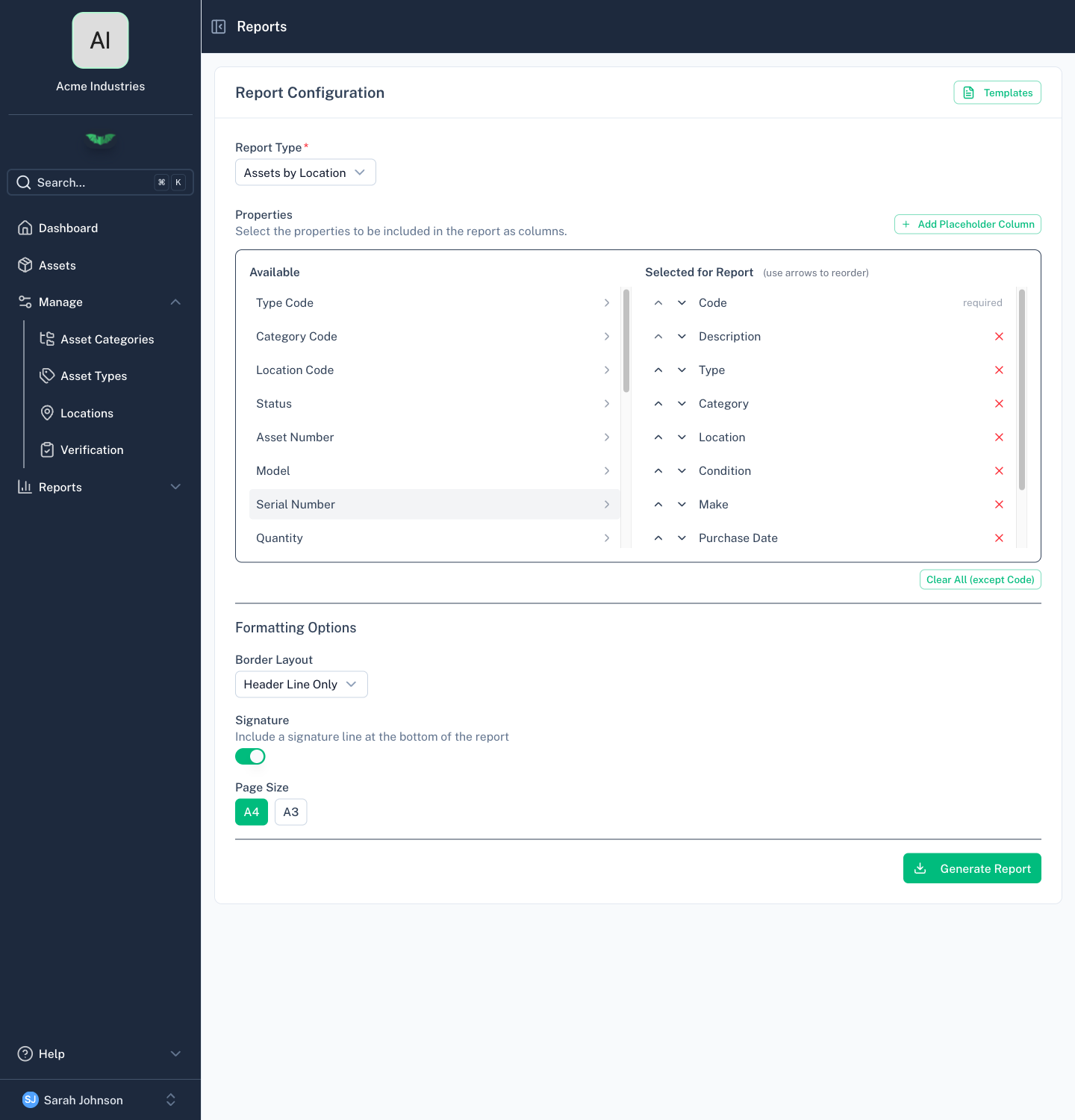
Report Templates
Save your column and layout configuration as a named template. Templates are stored per organisation and can be reused by any member with report access.
Generating a Report
- Select a report type
- Configure columns and layout (or load a saved template)
- Click Generate
- The report is generated in the background — batapp downloads the PDF automatically when ready
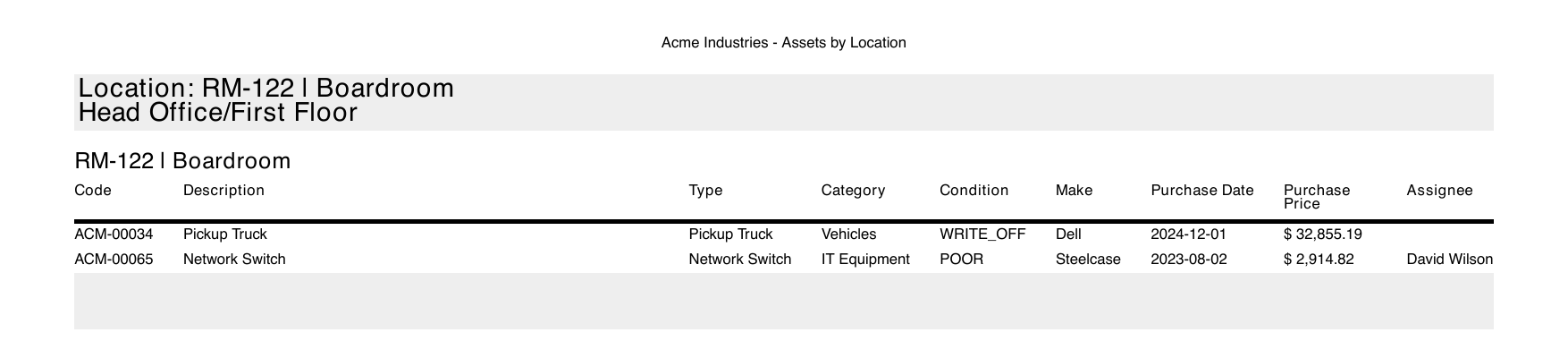
Permissions
Reports require Admin role.