
Mobile App
Mobile App
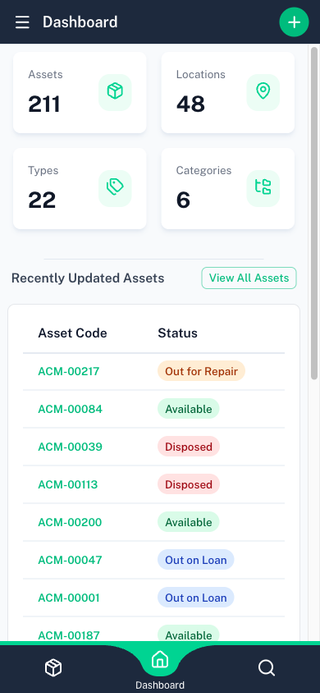
batapp has dedicated mobile apps for Android and iOS. The mobile app provides full asset management capabilities with offline support and barcode scanning.
Getting the App
- Android — Available on Google Play
- iOS — Available on the App Store for iPhone and iPad
Sign in with the same account you use on the web. Both apps have the same features, and your data syncs across every device you sign in on.
Mobile Features
The mobile app includes:
- Asset browsing — Search, filter, and view assets with a card-based layout
- Asset editing — Create and edit assets with all fields
- Barcode scanning — Use your camera to scan barcodes and QR codes
- Photo capture — Take photos directly from the asset form
- GPS geolocation — Capture coordinates and address (when enabled)
- Status changes — Check assets in and out with status workflows
Offline Mode
The mobile app is offline-first. All asset data is cached locally, so you can browse and edit assets without an internet connection.
How It Works
- Asset data syncs to your device when you're online
- Changes made offline are queued and sent when connectivity returns
- A sync indicator shows your current connection and sync status
- The app keeps data fresh automatically in the background
Working Offline
When offline, you can:
- Browse all cached assets
- Add new assets
- Edit asset details
- Scan barcodes
Status changes require a connection and will show an error if attempted while offline.
Changes are stored locally and sync automatically when you reconnect.
Sync Conflicts
If two people edit the same asset at the same time, the last change to reach the server wins — your local edit may get overwritten when you sync after being offline for some time. batapp detects when this happens and notifies you.
The conflict panel shows exactly which fields were affected, with your value and the current server value side by side. From there you can either re-apply your change (pushing your value back to the server) or dismiss the conflict if the server value is correct. Conflicts are kept for 7 days.
Mobile vs Web
Most features are available on both mobile and web. The main differences:
| Feature | Web | Mobile |
|---|---|---|
| Asset management | ||
| Barcode scanning | ||
| Photo capture | ||
| GPS geolocation | ||
| Offline mode | ||
| PDF reports | ||
| CSV import | ||
| Organisation settings |