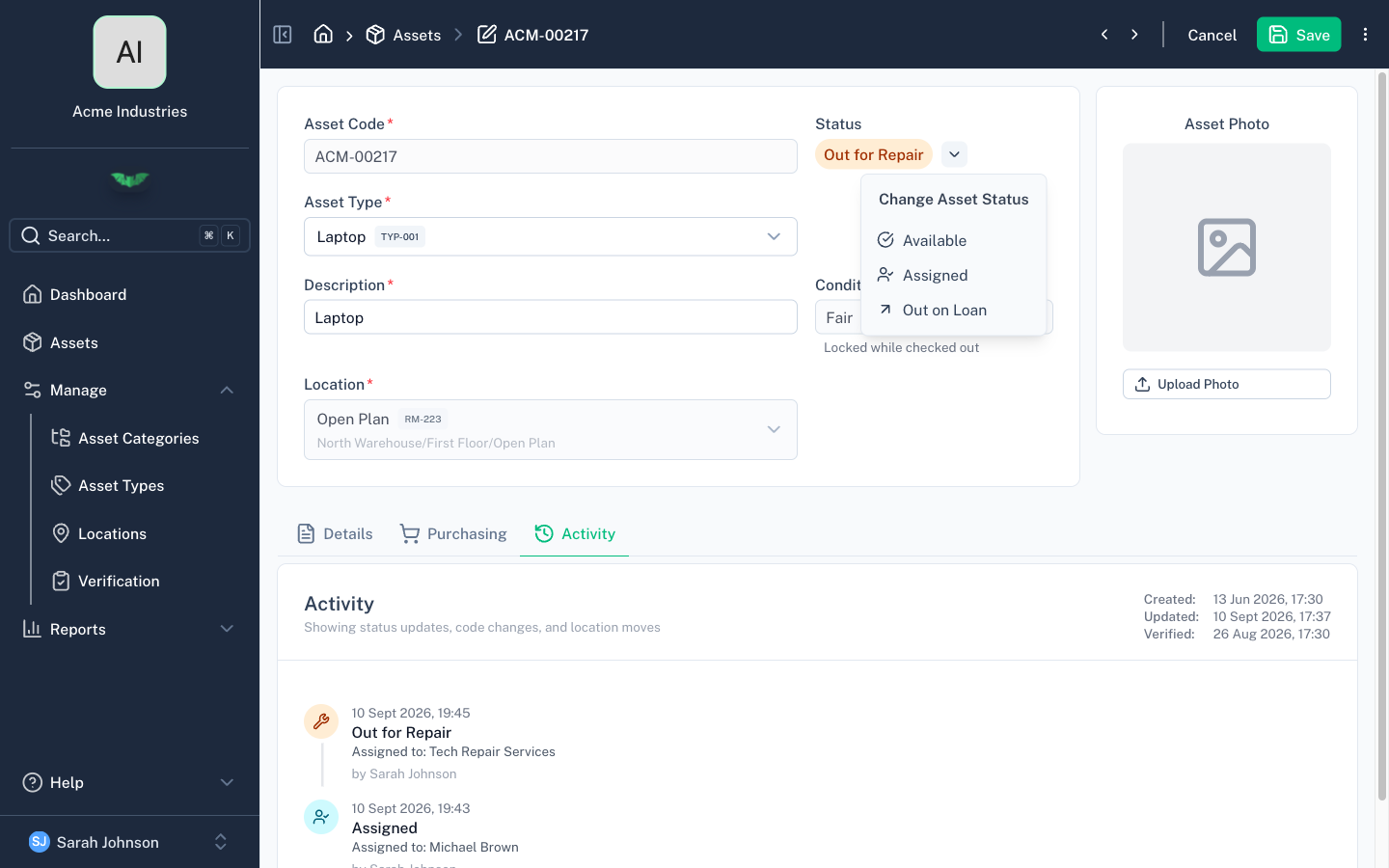
Statuses & Conditions
Statuses & Conditions
Every asset has a status (its current operational state) and optionally a condition (its physical state).
Default Statuses
batapp ships with four default statuses:
| Status | Description |
|---|---|
| Available | Asset is available for use |
| Out on Loan | Asset has been checked out on loan |
| Out for Repair | Asset has been sent for repair |
| Disposed | Asset has been disposed of |
Status Transitions
Not all status changes are valid. The default transition rules are:
- Available → Out on Loan, Out for Repair
- Out on Loan → Available, Out for Repair
- Out for Repair → Available, Out on Loan
- Disposed → no transitions (terminal state, use Restore action instead)
When changing status to Out on Loan or Out for Repair, batapp prompts for an assignee. When checking back in to Available, it prompts for condition and clears the assignee.
Custom Statuses
Enterprise feature. Custom statuses are available on the Enterprise plan only.
Organisations can replace the default statuses with their own. Custom statuses support:
- Custom names and codes
- Custom icons (from the Lucide icon set)
- Defined transitions — control which statuses an asset can move to from each status
- Sort order for display
Custom statuses are configured by the batapp team on your behalf. Contact support@batapp.co.za to discuss your requirements.
Conditions
Conditions describe the physical state of an asset:
| Condition | Description |
|---|---|
| New | Like-new condition |
| Good | Good working condition |
| Fair | Usable but may have minor issues |
| Poor | Significant issues but still functional |
| Write Off | Non-functional |
Condition is optional by default.
Event History
Every status change, location move, and code change is recorded in the asset's event history. The history shows:
- What changed (status, location, or code)
- Who made the change
- When it happened
- Additional context (e.g. previous/new location, assignee)
The most recent events are shown directly on the asset. Older events are archived and can be loaded on demand.